WhatsApp Automation for Businesses: Confirmations, Reminders, and Review Flows Without Spam
Articles
BLOG DETAILS26 FEB 2026Updated 06 MAR 20268 min read
A practical guide to WhatsApp automation for businesses: confirmations, reminders, CRM integrations, consent, and review requests without spam.
WhatsApp automation can be a major competitive advantage for businesses, but only if you treat the channel with respect. Use WhatsApp like a cheap bulk messaging tool and you will lose more than response rates. You will lose trust. And trust is exactly why this channel is so powerful in the first place.
For many businesses, WhatsApp has become the most direct customer communication channel they have. Faster than email, more personal than SMS, and less formal than a phone call. That makes it ideal for confirmations, reminders, updates, and review requests. But it also makes it risky. One poorly designed flow and your communication immediately feels intrusive, robotic, or spammy.
Well-designed WhatsApp automation creates operational clarity, reduces no-shows, improves response rates, and strengthens the customer experience. Poorly designed automation does the opposite. In this guide, you will learn how to use WhatsApp for business in a way that scales, stays human, and actually works commercially.
Why WhatsApp Automation Is So Powerful for Businesses
Most companies think about automation in terms of email flows, CRM tasks, or internal processes. That makes sense. But at the front end of the customer journey, WhatsApp can create outsized impact.
That is because WhatsApp combines three things that rarely come together: speed, attention, and context. Messages are usually seen quickly, they feel more direct than email, and they often sit inside an active customer interaction.
For service businesses, clinics, salons, coaches, agencies, consultants, and other SMBs, that is incredibly valuable. Especially in workflows around appointments, intake, follow-up, and feedback.
Where WhatsApp Automation Creates the Most Value
WhatsApp performs best at moments when the customer already has a relationship or expectation. Think about:
booking confirmations
appointment reminders
reschedules or cancellations
post-appointment follow-up
review requests
short status updates
fast follow-up for inbound leads
That is also where the boundary is. WhatsApp is excellent for relevant communication inside an active customer relationship. It is not a free pass for aggressive outbound promotion or generic marketing blasts. If you are unsure where your biggest process bottleneck sits, WhatsApp alone will not fix it.
The Biggest Mistake: Automating Without Context
A lot of businesses make the same mistake. They build a flow, connect a tool, and assume the problem is solved. Technically, everything works. Experientially, it does not.
A reminder at 7:15 AM.
A review request six days later with no context.
A confirmation message that sounds like it was written by a machine.
A follow-up that ignores a canceled appointment.
These look like small issues, but they compound fast. And customers feel it immediately.
WhatsApp automation should not only function correctly. It also has to feel logical from the receiver?s perspective. So the question is not just, "can we automate this?" The better question is, "would this message feel helpful at this exact moment?"
The Core Rule: Respect the Channel
WhatsApp is a high-trust channel. People allow businesses into the same space where they talk to friends, family, and close contacts. That means the standard is higher than with email.
The core rule is simple: only send messages that are relevant, expected, and useful.
In practice, that means:
only send messages to people who have explicitly opted in
only send messages in a context that logically follows a booking, inquiry, or ongoing customer relationship
do not send long, promotional, or generic messages
keep timing clear and the message focused on one purpose
make it easy for the customer to reply or get help
Good WhatsApp automation does not feel like ?more communication.? It feels like better communication.
The 4-Step Model for WhatsApp Flows That Actually Work
For most businesses, the strongest WhatsApp flow starts around appointments, reservations, or service interactions. The business case is clear: fewer no-shows, less manual follow-up, more clarity for the customer, and more reviews after the fact.
The model below is the best starting point for many SMBs.
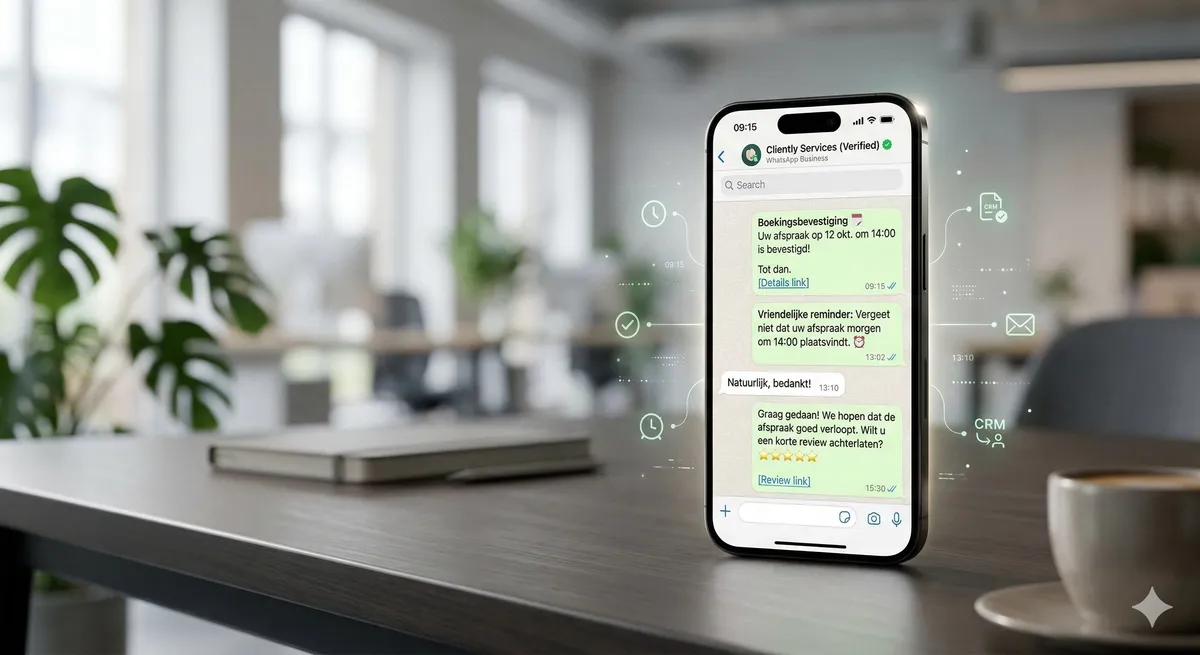
Step 1: Immediate Confirmation After Booking
As soon as a customer books, they mainly want one thing: certainty. Did the booking go through? When exactly is the appointment? What happens next?
That is the first moment where WhatsApp automation adds real value.
A strong confirmation message includes:
the customer name or appointment type
date and time
location or meeting link
any preparation needed
a clear next step if relevant
The tone should be calm and warm. No sales copy. No unnecessary detail. Just clarity.
Example Confirmation Message
Hi [Name], your appointment for [service] is confirmed for [day] at [time]. Location: [location]. If anything changes, just reply to this message. See you then.
This kind of message reduces uncertainty, prevents misunderstandings, and saves your team from handling unnecessary questions.
Step 2: Reminder 24 Hours Before the Appointment
The reminder is one of the highest-return WhatsApp automations you can build. Especially in industries where no-shows directly cost money, such as beauty, healthcare, coaching, sales calls, or local services.
The mistake many businesses make is making the reminder too long or too passive. A reminder has one job: make sure the customer does not forget and knows what to do if plans change.
What a Good Reminder Should Include
a short reminder of the date and time
practical details if they matter
an option to reschedule or ask a question
no extra marketing layer
Example Reminder
Hi [Name], just a quick reminder about your appointment tomorrow at [time]. Can?t make it after all? Reply here and we?ll help you reschedule.
There is also a direct operational benefit here. If someone reschedules in time, you do not just avoid a no-show. You free up capacity for another customer. That is immediate cost savings.
Step 3: Follow Up After the Appointment
After the appointment or service delivery, many businesses enter a blind spot in the customer journey. Operations move on, the team gets busy, and the customer hears nothing. That is where opportunities often get lost.
A short post-appointment WhatsApp message feels personal and shows that your service does not end the second the meeting is over.
Goals of This Follow-Up
check whether everything went as expected
create room for questions or issues
detect dissatisfaction early
create a natural bridge toward feedback or a review
Example Follow-Up
Hi [Name], thanks again for visiting today. I hope everything went well. If you have any questions, feel free to reply to this message.
This looks small, but it has a significant impact on customer experience. It shows the relationship is not purely transactional. And from an operations perspective, it creates a signal point: satisfied customer or escalation case?
Step 4: Ask for a Review at the Right Time
Review automation works, but only if you keep it restrained. This is where many businesses overdo it. Too early, too late, too forceful, or with multiple follow-ups. That gets irritating fast.
The best approach is usually simple: one review request, timed well, with a short human message.
When Does a Review Request Work Best?
Usually within 24 to 48 hours after a positive interaction. Not so fast that it feels rushed. Not so late that the moment has gone cold.
Example Review Request
Hi [Name], thanks again for your visit. If you were happy with the experience, a short review would really help: [review link]. Thanks in advance.
That is usually enough.
One message. One link. No pressure. No sequence of repeated follow-ups. Businesses that over-automate review requests may squeeze out a few extra reviews, but they often hurt brand perception in the process. That is a bad trade-off over time.
How to Avoid Spam in WhatsApp Automation
WhatsApp automation rarely fails because of technology. It usually fails because of behavior. Teams send too often, too much, or without clear consent.
If you want to use WhatsApp properly, you need to stay sharp on three things: consent, timing, and tone.
Consent Is Not Optional
Without explicit opt-in, do not send. It is that simple.
That means your form, checkout, intake process, or booking flow should clearly state that the customer may receive WhatsApp communication related to the appointment or service. You should also log that opt-in in your CRM, including the source and timestamp.
That is not just about compliance. It is also smart risk management. Once you operate at scale, you want to be able to prove why someone received a message.
Timing Determines Whether a Message Feels Helpful
A perfect message at the wrong time still feels wrong. For most businesses, these are safe guidelines:
do not send early in the morning
do not send late at night
prefer working hours or late afternoon
always tie reminders logically to the appointment time
A message sent at 10:14 PM might be technically correct and still feel intrusive. You prevent that with simple timing rules inside your automation.
Tone Determines Whether It Still Feels Human
Automation does not need to be casual, but it does need to sound natural. Too many companies write WhatsApp messages as if they are exporting CRM text into a human conversation.
Avoid:
stiff corporate phrasing
multiple calls to action in one message
unnecessary promotional copy
too much information at once
Prefer:
short sentences
the customer?s first name
one clear intention per message
language a real team member would actually use
The best test is simple: would you personally be comfortable receiving this message?
Your CRM Is the Real Backbone of WhatsApp Automation
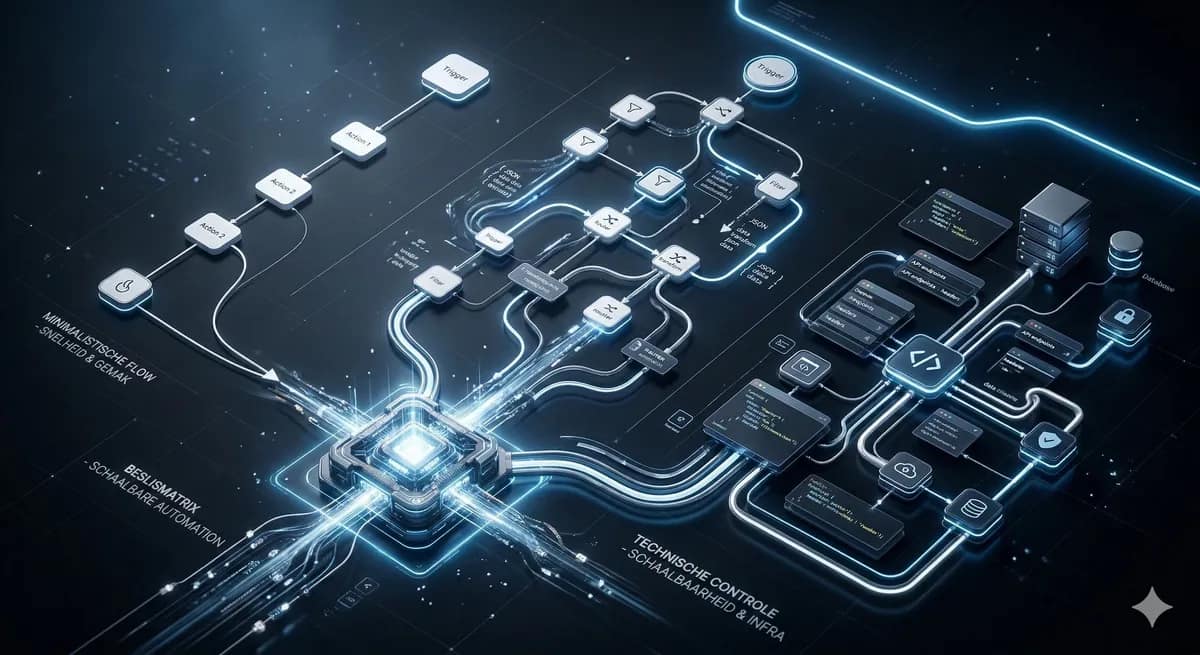
WhatsApp automation is not a standalone channel. It only works properly when it is part of your wider operational system. And that system usually runs through your CRM.
Without CRM integration, you get isolated messages. With CRM integration, you get context, timing, and control.
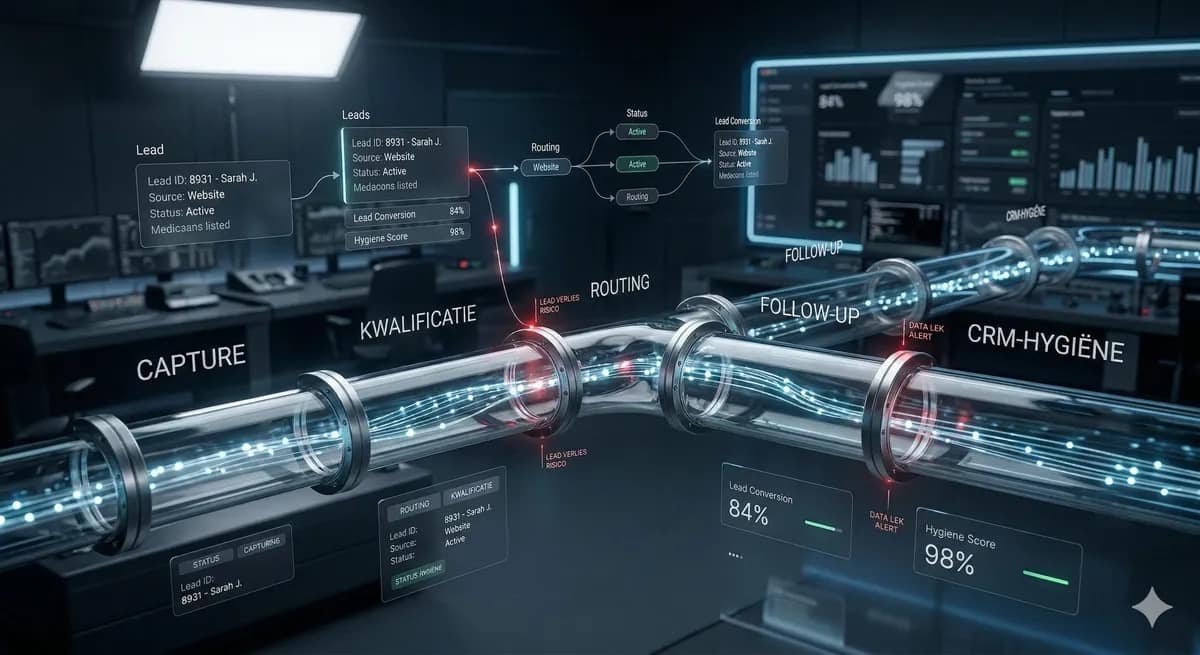
What the Flow Should Ideally Look Like
1. A Booking or Lead Comes In
Through your website, form, landing page, ad campaign, phone intake, or calendar booking.
2. The CRM Creates or Updates the Contact Record
Details such as name, phone number, appointment type, source, owner, and scheduled time are stored automatically.
3. The Workflow Triggers the Correct WhatsApp Sequence
The automation checks the status, timing, appointment type, or customer stage and sends the right message.
4. Replies Flow Back Into the CRM
If the customer responds with a change, issue, or question, that should not stay buried inside WhatsApp. It should be visible in your pipeline, task system, or contact record.
5. Edge Cases Escalate to a Human
For cancellations, complaints, sensitive issues, or exceptions, the flow should hand over cleanly. Automation should support the relationship, not trap it.
That is the difference between a useful WhatsApp flow and a mature customer communication system. For more on building a reliable CRM backbone, see our guide on CRM automation and lead flow.
Practical Use Cases for SMBs
WhatsApp automation is not limited to one type of business. In SMB environments especially, there are many workflows where speed and personal follow-up make a real difference.
Local Service Businesses
Think of hair salons, clinics, garages, physical therapy practices, or installers. The focus here is usually confirmations, reminders, and reducing no-shows.
Coaches and Consultants
For discovery calls, intake sessions, and onboarding, WhatsApp works well as a fast reminder and follow-up layer alongside email.
Real Estate and Property Businesses
For viewings, document updates, and lead follow-up, WhatsApp can improve response speed and create a stronger customer experience.
B2B Service Companies
Even in B2B, WhatsApp can work well, as long as it stays relevant. Think appointment confirmations, quick updates, or follow-up for warm inbound leads.
The principle stays the same every time: use WhatsApp not because you can, but because it is the best channel for that specific moment.
What You Should Not Automate Through WhatsApp
Not everything belongs on WhatsApp. That sounds obvious, but businesses get this wrong all the time.
Avoid automating:
cold outreach without a clear relationship or consent
long marketing sequences
complex support cases without a human fallback
sensitive communication such as complaint handling without escalation logic
bulk messages with no direct relevance to the recipient
WhatsApp is strongest when communication is contextual, direct, and useful. The moment you use it like a mass channel, you lose the very advantage that makes it valuable.
How Good WhatsApp Automation Becomes Scalable
A lot of founders think human and scalable are opposites. With bad automation, they are. With good automation, they are not.
A strong system ensures customers receive the right message at the right time, without your team having to manually handle every interaction. That creates scalability without sacrificing quality.
The gains show up on multiple levels:
fewer no-shows
less manual follow-up
faster responses
higher customer satisfaction
more reviews
better CRM data
more consistent processes across sales, service, and operations
That is the real power of automation. Not sending more. Sending smarter.
A Simple Rule for Every WhatsApp Message
Before you automate any message, ask yourself three questions:
1. Is this useful for the recipient?
Not for your KPI. For the customer.
2. Is this the right moment?
Timing shapes how the message is received.
3. Does this sound like a human, not a system?
If not, rewrite it.
If a message does not pass these three filters, it usually should not go live.
Conclusion: WhatsApp Automation Only Works When It Stays Human
WhatsApp automation for businesses is not about volume. It is about precision. The best flows are not the longest or the smartest. They are the most relevant. Confirm when the customer wants certainty. Remind when memory matters. Follow up when attention counts. Ask for a review when it feels natural.
That improves more than customer communication. It improves operations. You reduce friction, prevent lost appointments, increase review volume, and build a more reliable system around your CRM and booking flow.
Businesses that do this well do not make WhatsApp louder. They make it calmer, more useful, and more consistent. And that is exactly why it performs better.
If you want to build a WhatsApp flow connected to your CRM, appointments, and review process without making it feel spammy, the smartest place to start is not with the messages. It is with the system behind them. Take the Free AI Audit to map your current flow, or explore our services to see how we build these systems.